
Guardian Information: Instrument Protection Plan
Table of Contents
- Step 1: Review the Instrument Assignment Details
- Step 2: Opt Into the Instrument Protection Plan
- Step 3: Get Your Policy Number
Overview
The CutTime Instrument Protection Plan provides affordable protection for school-owned and school-issued instruments, giving families and guardians greater peace of mind when accidental damage occurs. Fully integrated with CutTime, the plan connects instrument assignments, inventory, repairs, and claims in one easy-to-manage platform.
Guardians can opt into this program once an instrument is assigned to their student in CutTime.
Please Note! If you do not want to have your member's instrument covered by this plan, you do not have to opt into this program.
Why Choose the CutTime Instrument Protection Plan?
- Accidental Damage Protection for eligible school-owned and school-issued instruments
- Affordable Pricing designed for schools and families
- Digital Claims Management to reduce paperwork and expedite repairs
- Greater Student Access by reducing financial concerns around instrument damage
Opting into the Plan
Step 1: Review the Instrument Assignment Details
There's two ways that you can opt into the Instrument Protection Plan as a Guardian;
1) Log into your magic link and you will see that there is an item that can be covered from the Dashboard or Assignments page.
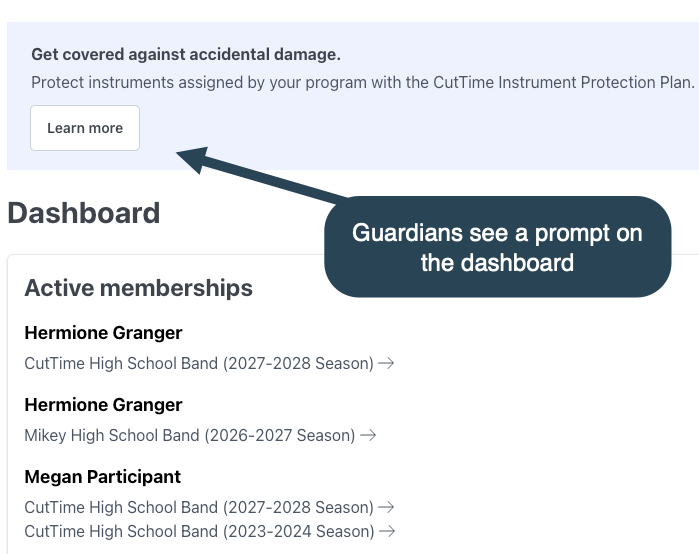
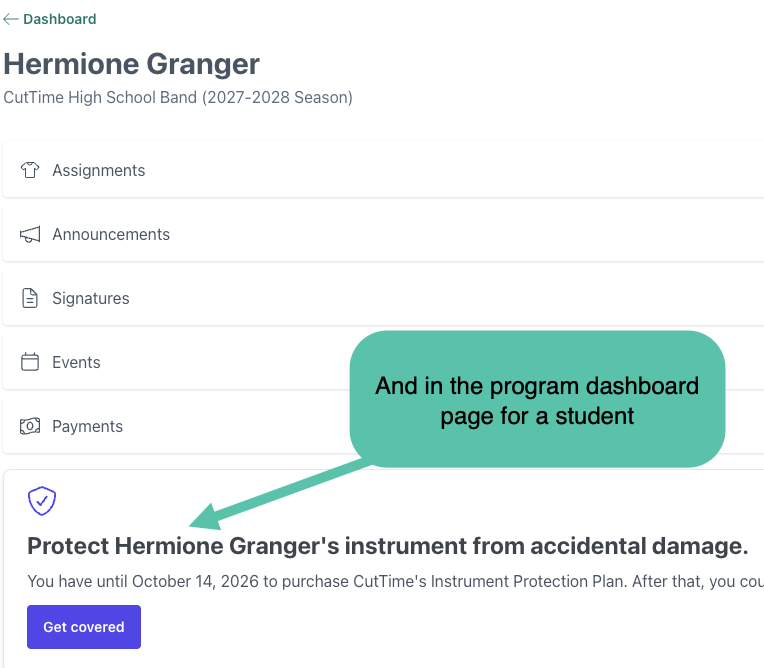
2) You see this option after you sign a Rental Agreement Waiver.
When an instrument is assigned to a member in a CutTime program, the program administrator has the option to send out a rental agreement waiver to the guardian on file for that member.
Should you receive an email or text that looks something like this, click through on the link to sign that waiver.
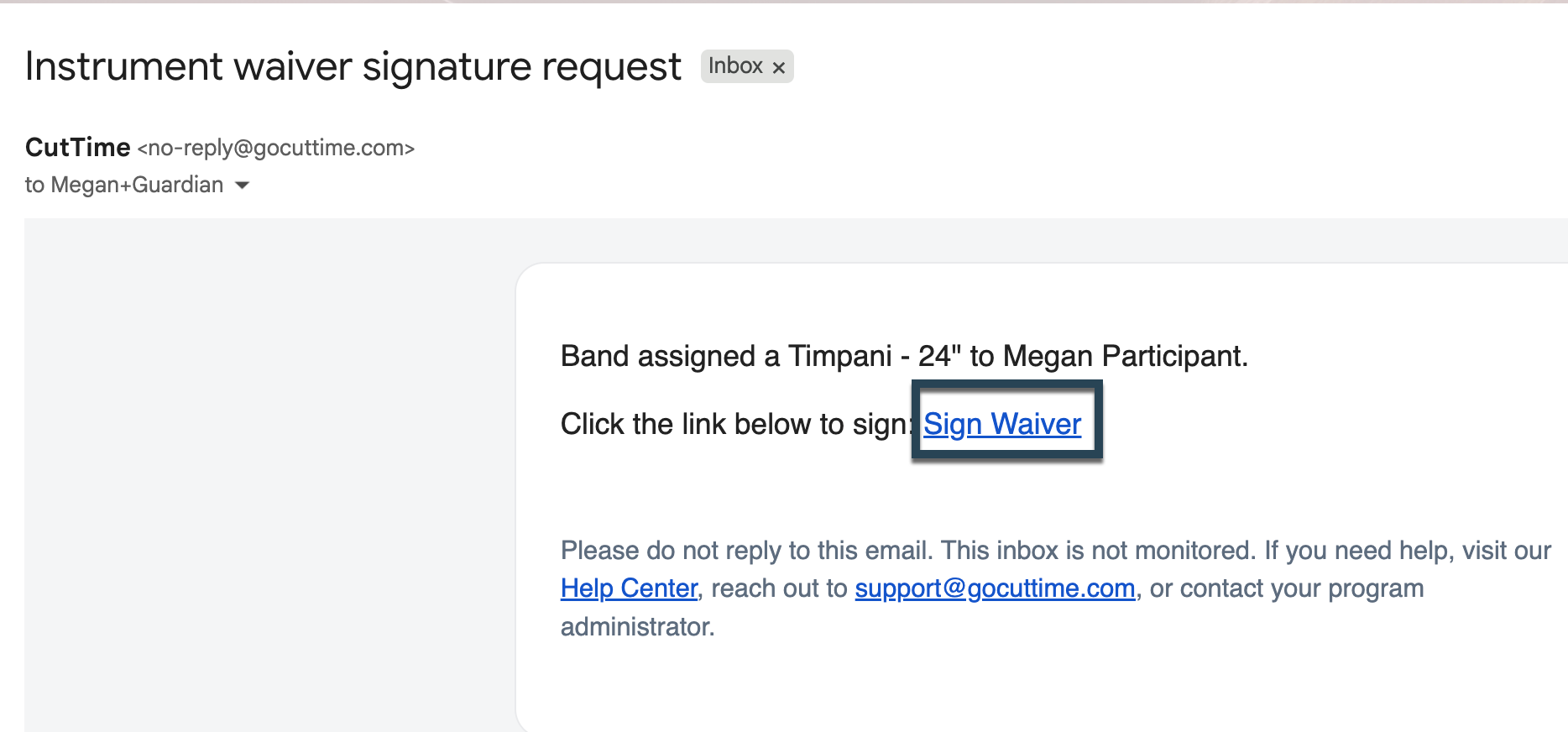
This will take you through to a review page where you can see more details about this item such as the Serial Number and due date for the item's return to the program.
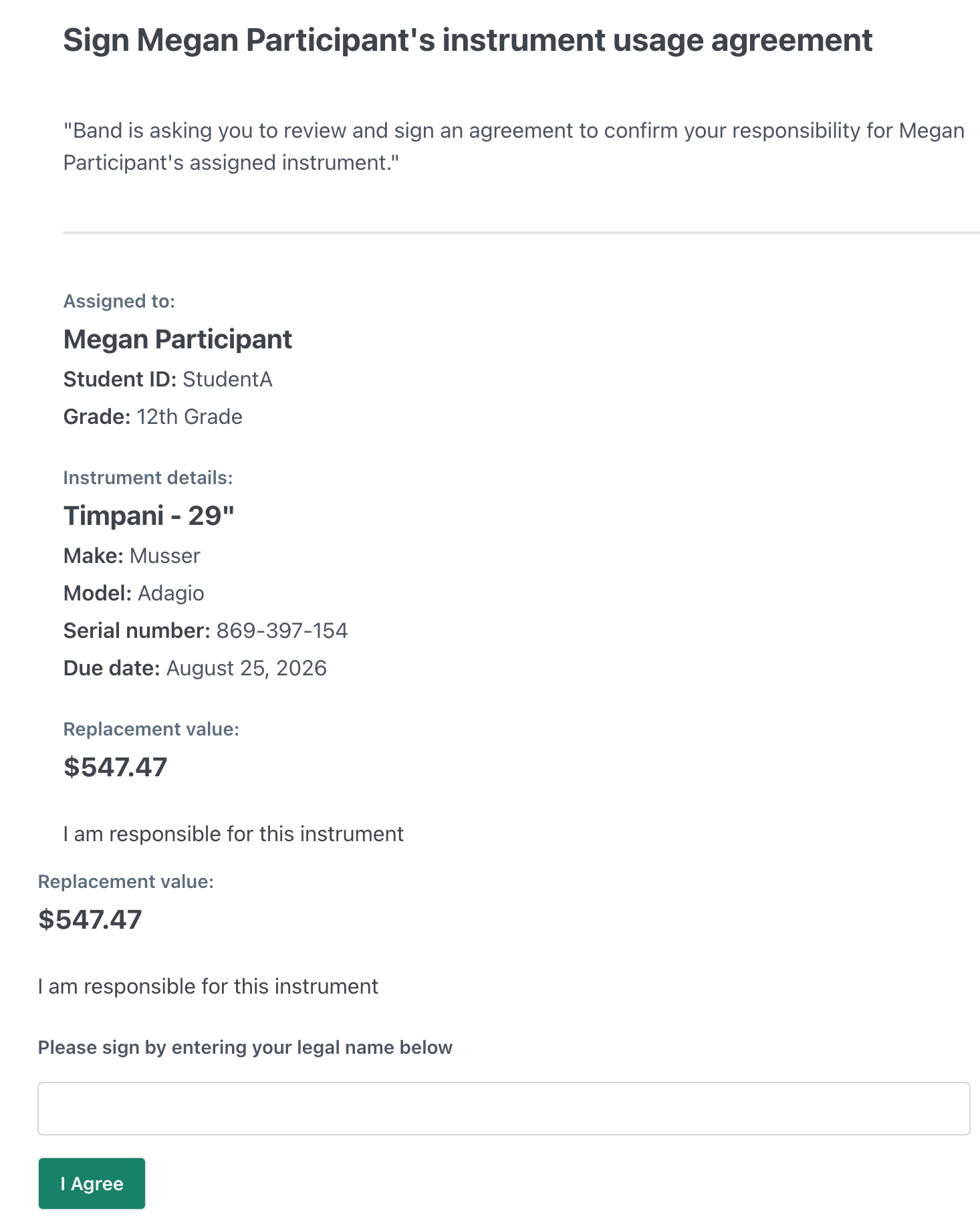
Review the details and the agreement terms, and then type your electronic signature at the bottom of the page before clicking "Agree."
Step 2: Opt Into the Instrument Protection Plan
1) Once you have signed the rental agreement waiver (or if you see the prompt in your Magic Link's Dashboard page first), you will see the option to purchase the CutTime Instrument Protection Plan.
NOTE: You will see an options signup now, or to "remind me later" if you need to circle back to this at another time.
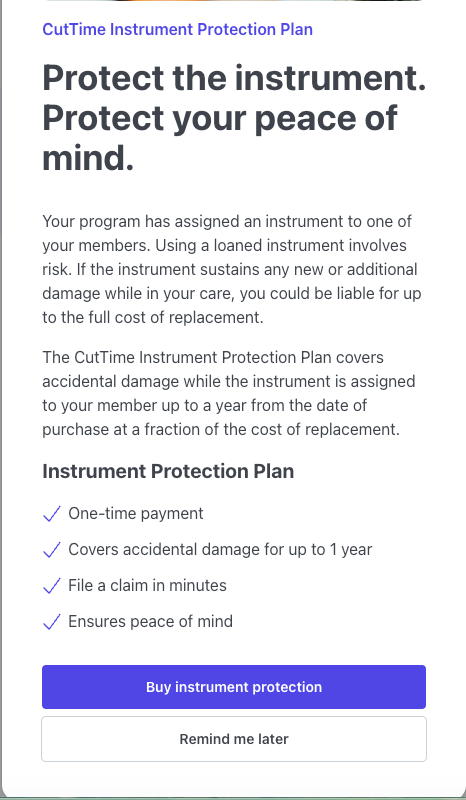
If you did not sign up for the Instrument Protection Plan when the item was first assigned, you can go back into your Magic Link within the first 14 days after assignment and opt into this protection plan.
2) You will also see the Instrument Protection Plan available for any and all instruments assigned that have not been enrolled in the protection plan yet. Click the "Get Covered" button for the instrument you want to opt into the plan for to continue.
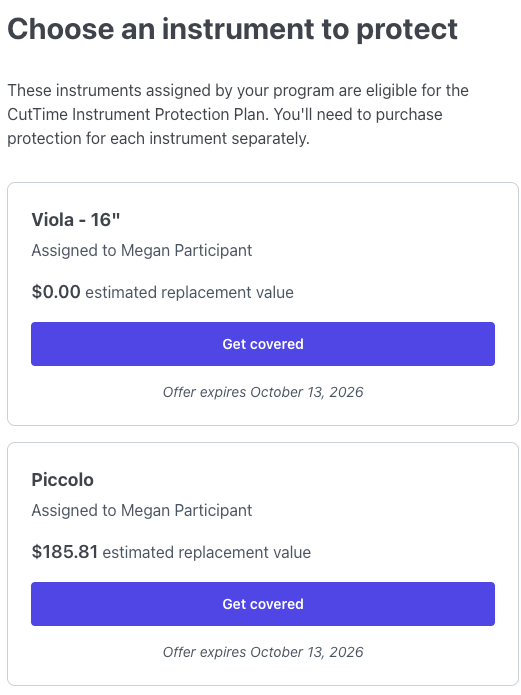
NOTE: The pricing for the coverage is determined automatically based on the replacement value tier of the instrument assigned.
Click the "Get Covered" button to continue to the signup wizard.
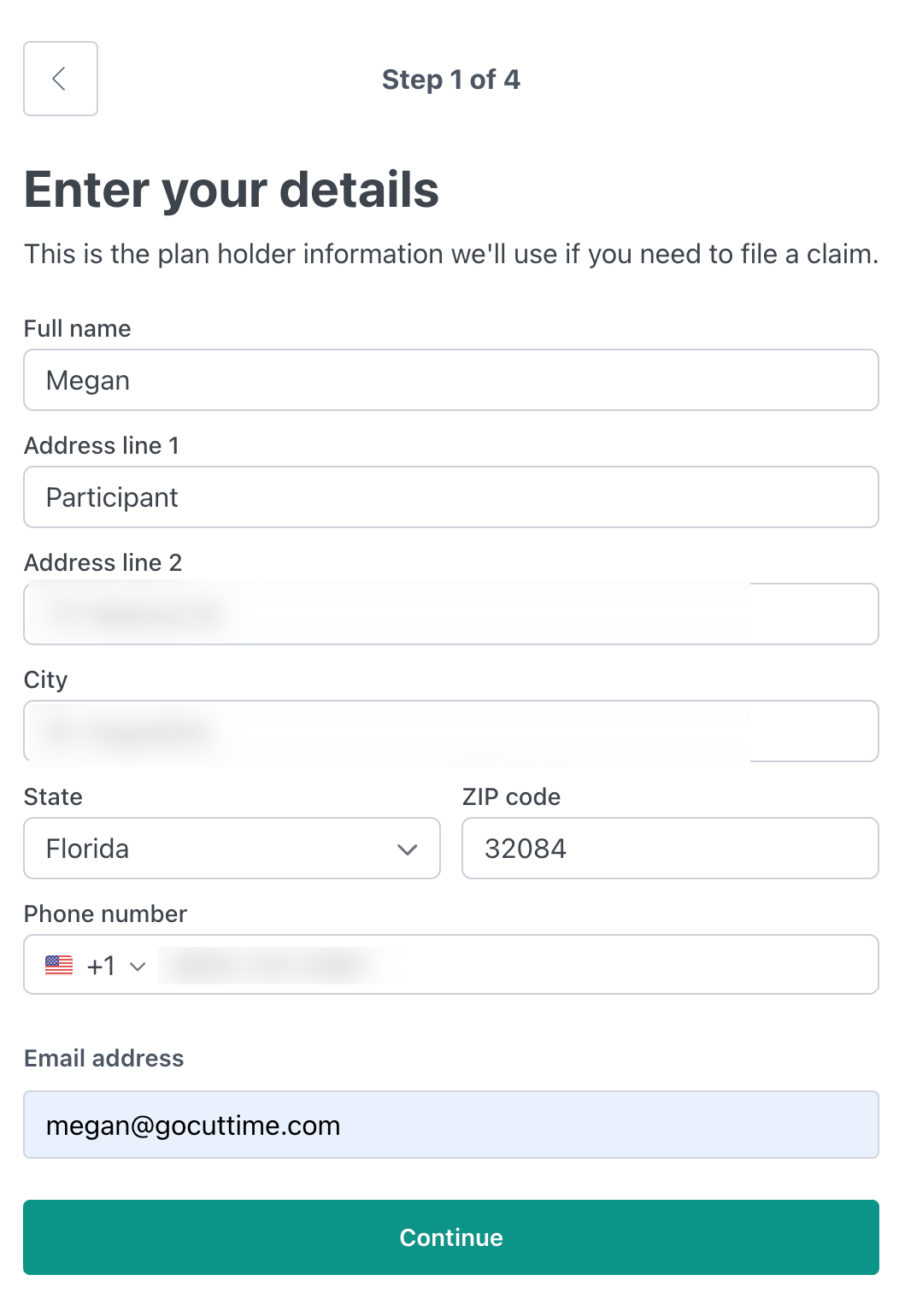
3) On the first step of the signup wizard, fill out your contact details and click "Continue."
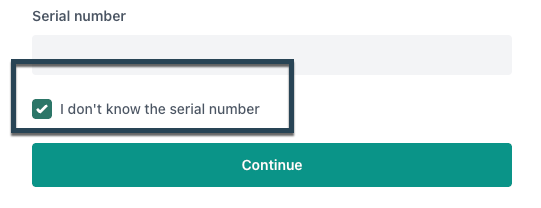
4) If there is a Serial Number already listed for this item, it will take you through to the next page on this form automatically.
But if there is NO serial number, click the checkbox "I don't know the serial number" to continue.
5) Review your Terms & Conditions, download a copy for your records, and click the "I accept the terms & conditions above."
PLEASE NOTE: Additional Terms for your State may apply. Please look for the section on State Variations for more details within your Terms of Service.

Is the Instrument Protection Plan insurance?
- No. The Terms and Conditions state that the plan is not a contract of insurance. However, the plan administrator’s obligations are intended to be backed by a policy identified in the completed plan documents.
Plan Highlights:
PLAN TERM: Your Plan will begin on the Effective Date and end on the Expiration Date, as indicated on Your Declarations Page.
SERVICE FEE: You are required to pay any applicable Service Fee for each claim submitted as indicated on Your Declarations Page.
WHAT IS COVERED: This Plan provides for the reimbursement of the costs of covered parts and labor due to a Failure of the Product listed on Your Declarations Page.
Accidental Damage from Handling Coverage (“ADH Coverage”): ADH Coverage provides
protection against sudden and unforeseen accidental damage to Your Product, provided such
damage was in the course of regular use of the Product by You, subject to the exclusions list in your Terms & Conditions.
CLAIMS WINDOW: Claims must be reported to the Administrator within forty five (45)
days of the event giving rise to the claim.
WHAT IS NOT COVERED: Wear and tear, theft, mysterious disappearance, misplacement, viruses, reckless, abusive, willful or intentional conduct associated with handling the use of the Product, cosmetic damage, and/or other damage that does not affect unit functionality
6) Enter your payment details and click "Pay."


Step 3: Get Your Policy Number
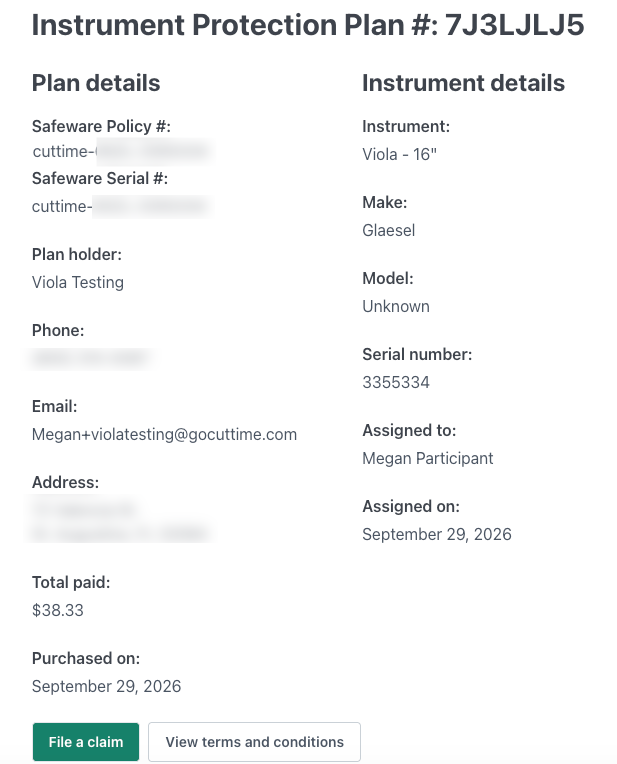
Once you have completed the enrollment steps and have paid for your policy, you will be taken to an overview screen with your Plan details.
PLEASE NOTE: We strongly advise that you write down your Plan Policy Number or screenshot this page and save it alongside the Terms Agreement for your records.
You will need this plan information in order to file any necessary claims for this instrument.
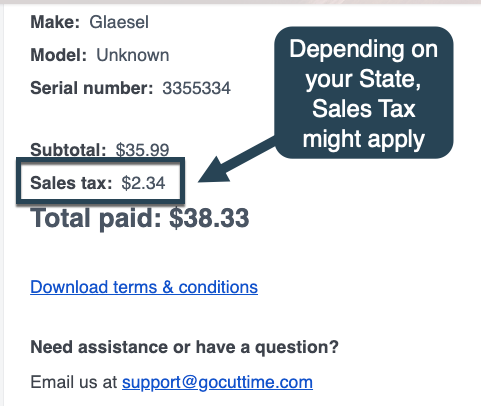
You will also receive an email with all of these details and an option to download your Plan Terms as well.
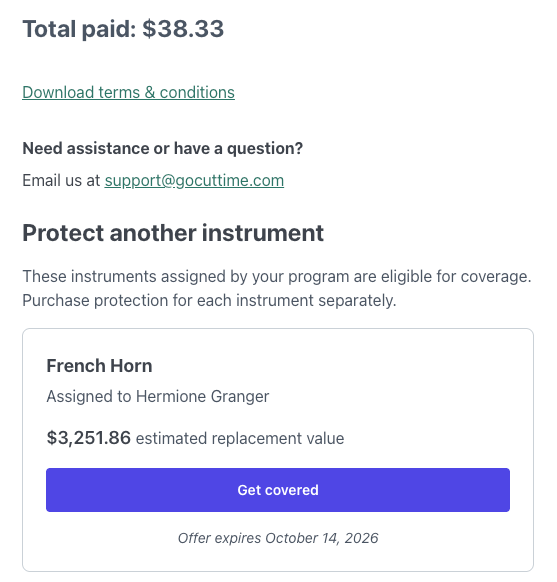
If there is another instrument that could be opted in for coverage, on this confirmation page, you will see the option to do the same for the additional item(s).
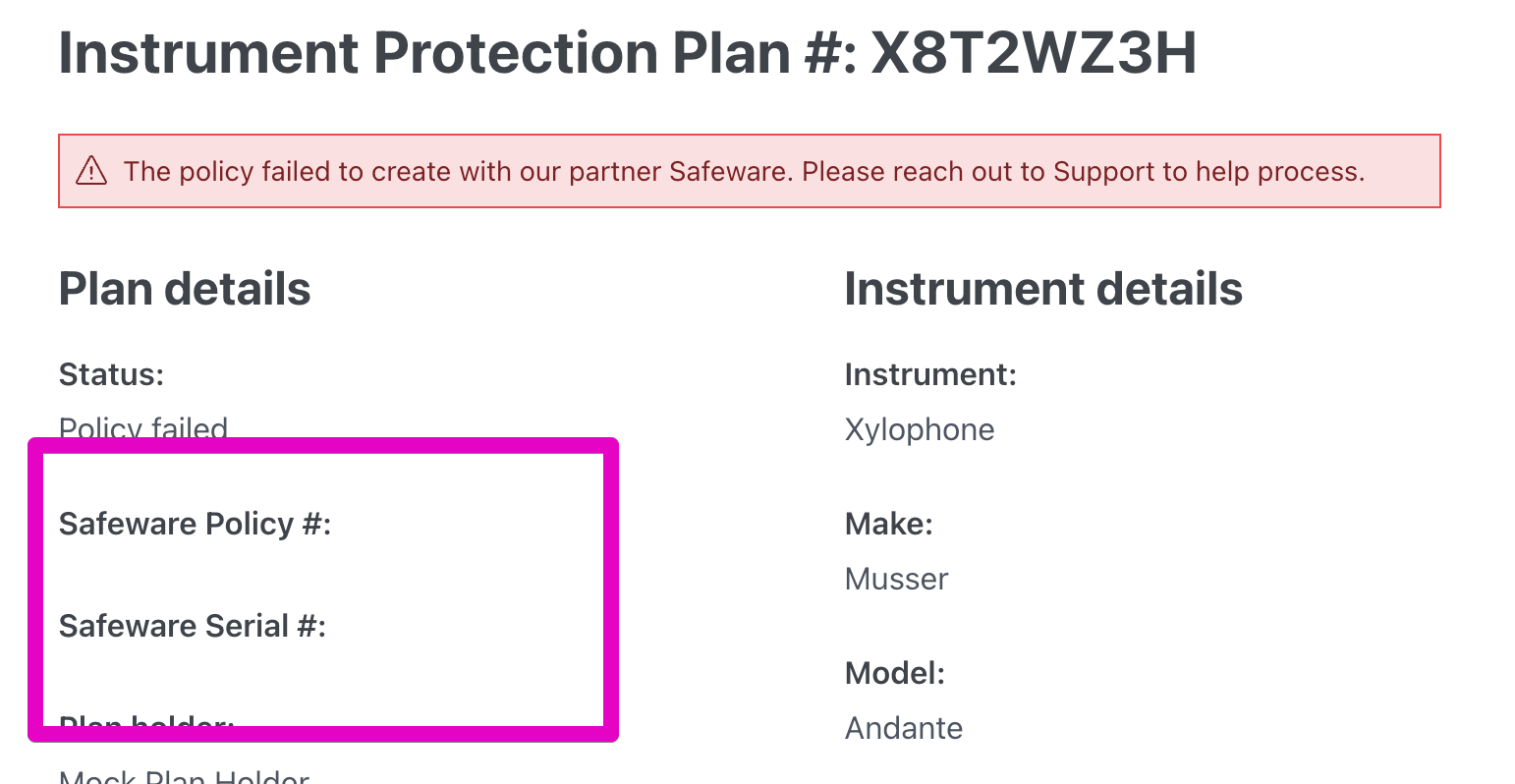
NOTE: If there is information missing because of an error, the purchaser of this Plan will see a message stating that they need to reach out to our CutTime Support Team for assistance.
Please email support@gocuttime.com for further assistance.
Filing a Claim
Before filing a claim, please review your plan's coverages in your Terms & Conditions document.
Claims must be filed with 45 days of the incident event, as per the Instrument Protection Plan Terms of Service.
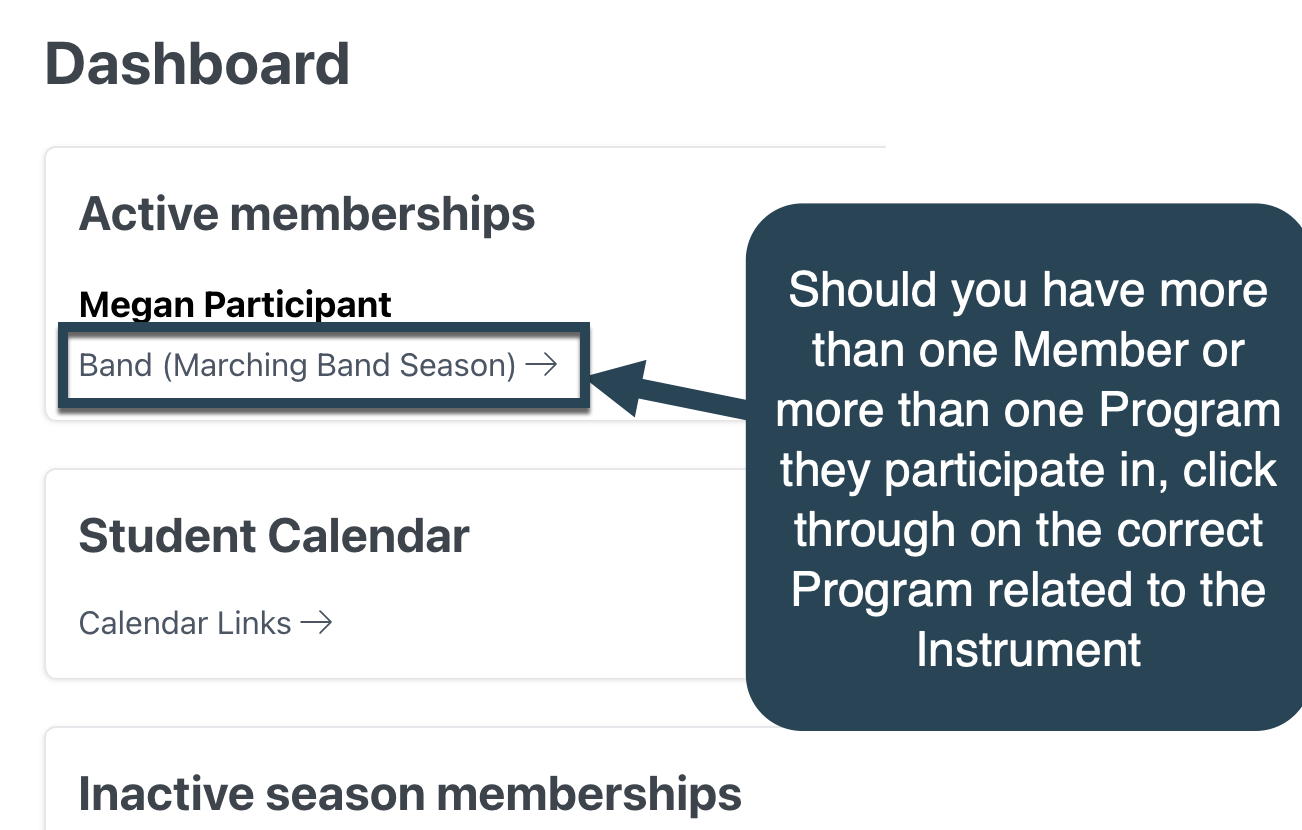
1) Log into your Magic Link and click through on the Program this instrument is related to (If you have a Member enrolled in more than one school or program, make sure you click on that program link for that Member).
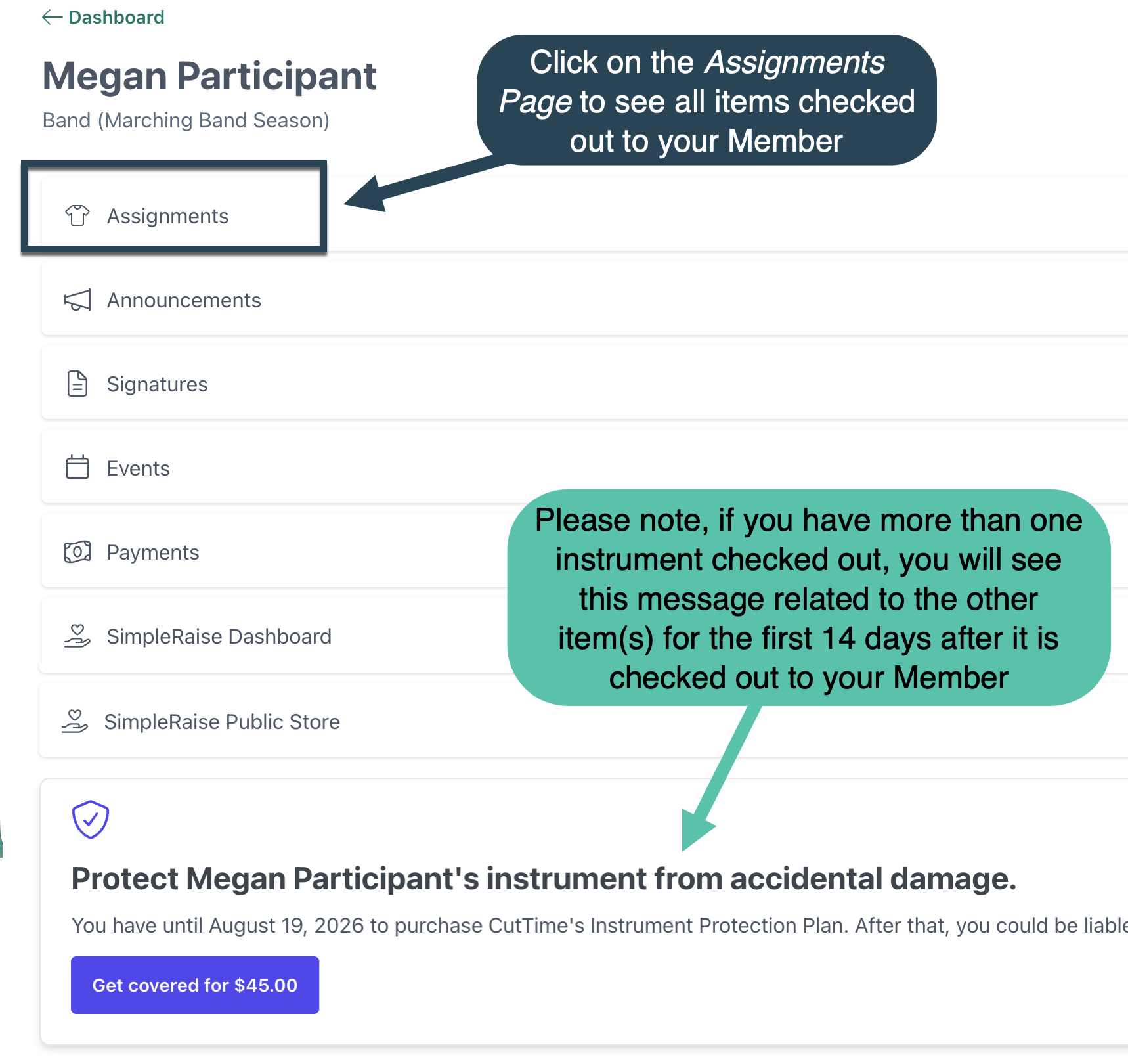
2) On that Member's Program Dashboard Page, click through on the Assignments Page.
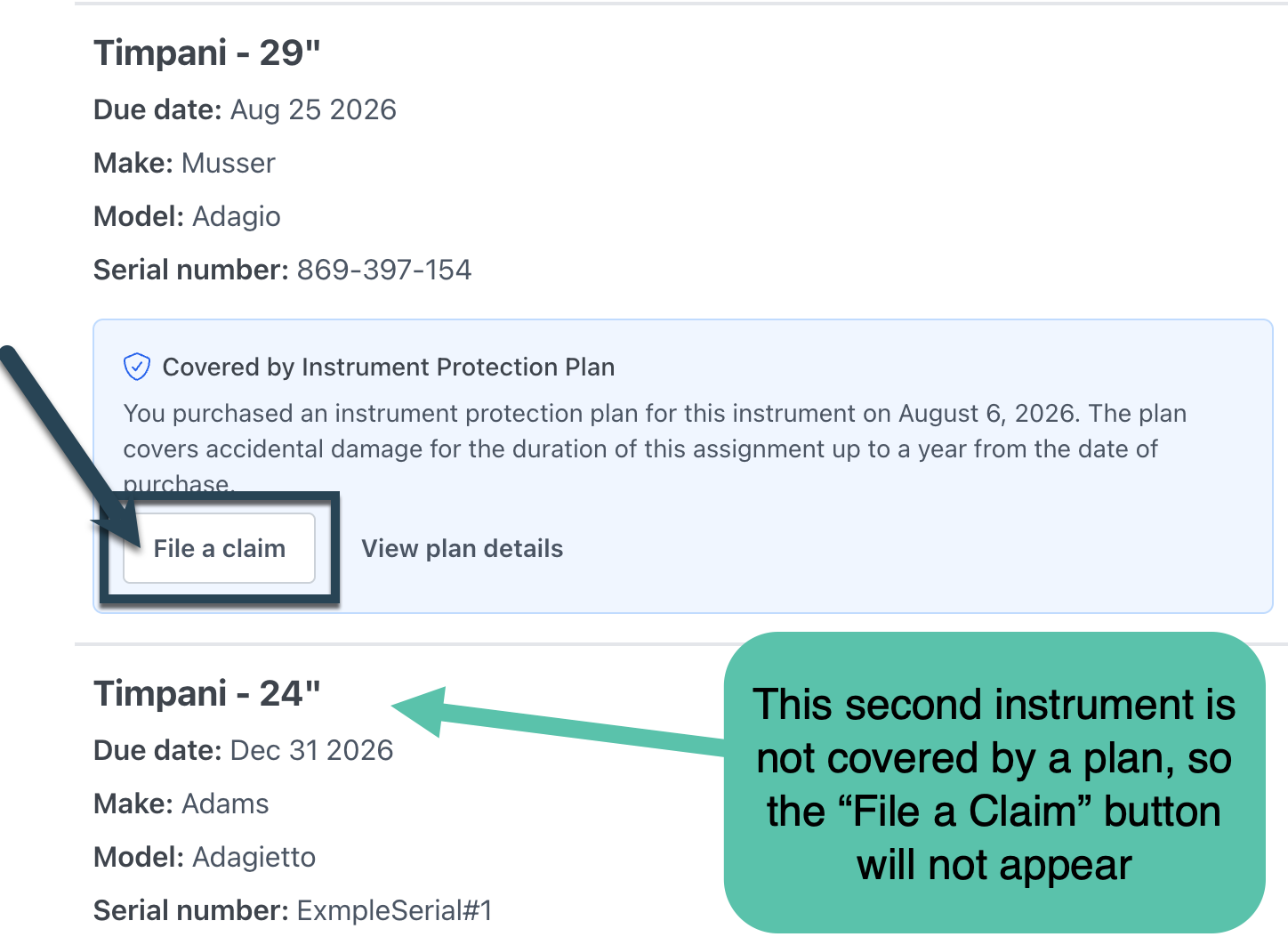
3) On the Assignments Page, find the instrument that is covered by the plan you already purchased and click on the "File a Claim" Button.
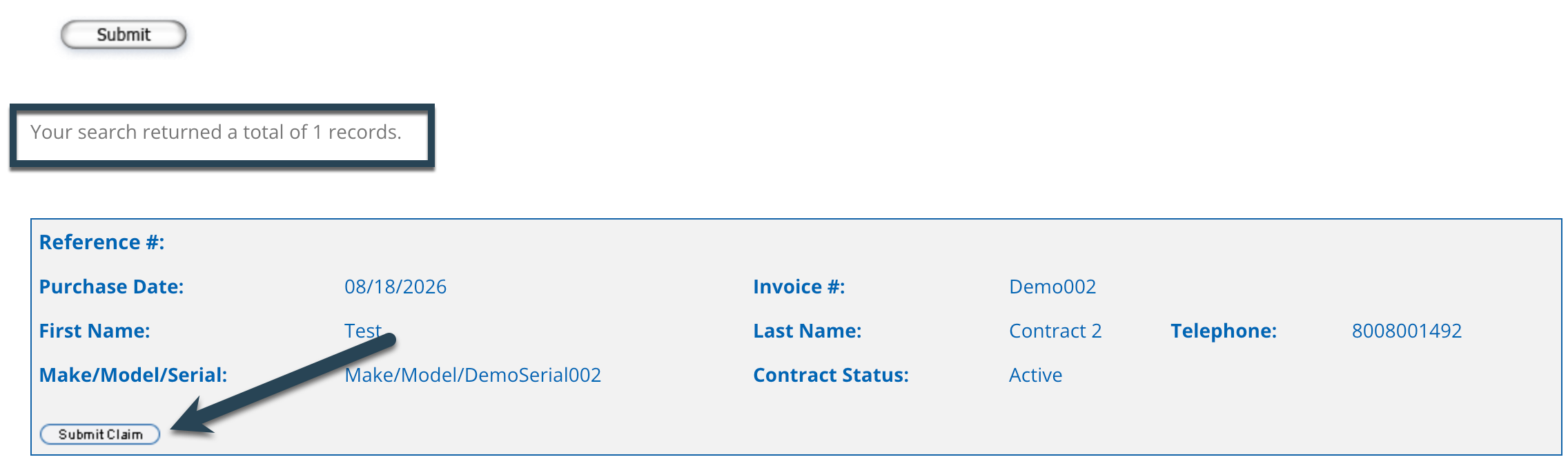
2) Provide the Serial Number, Plan Policy Number, or CutTime Plan ID for this protection plan and click "Submit."
It might take up to 90 seconds to look up your item's policy record, but once it does, click the "Submit Claim" button.

3) Follow the prompts on Safeware's File a Claim Page.
- A) In the Customer Information Section, enter your name, your address, email and phone number.
- B) Select Email as the notification type.
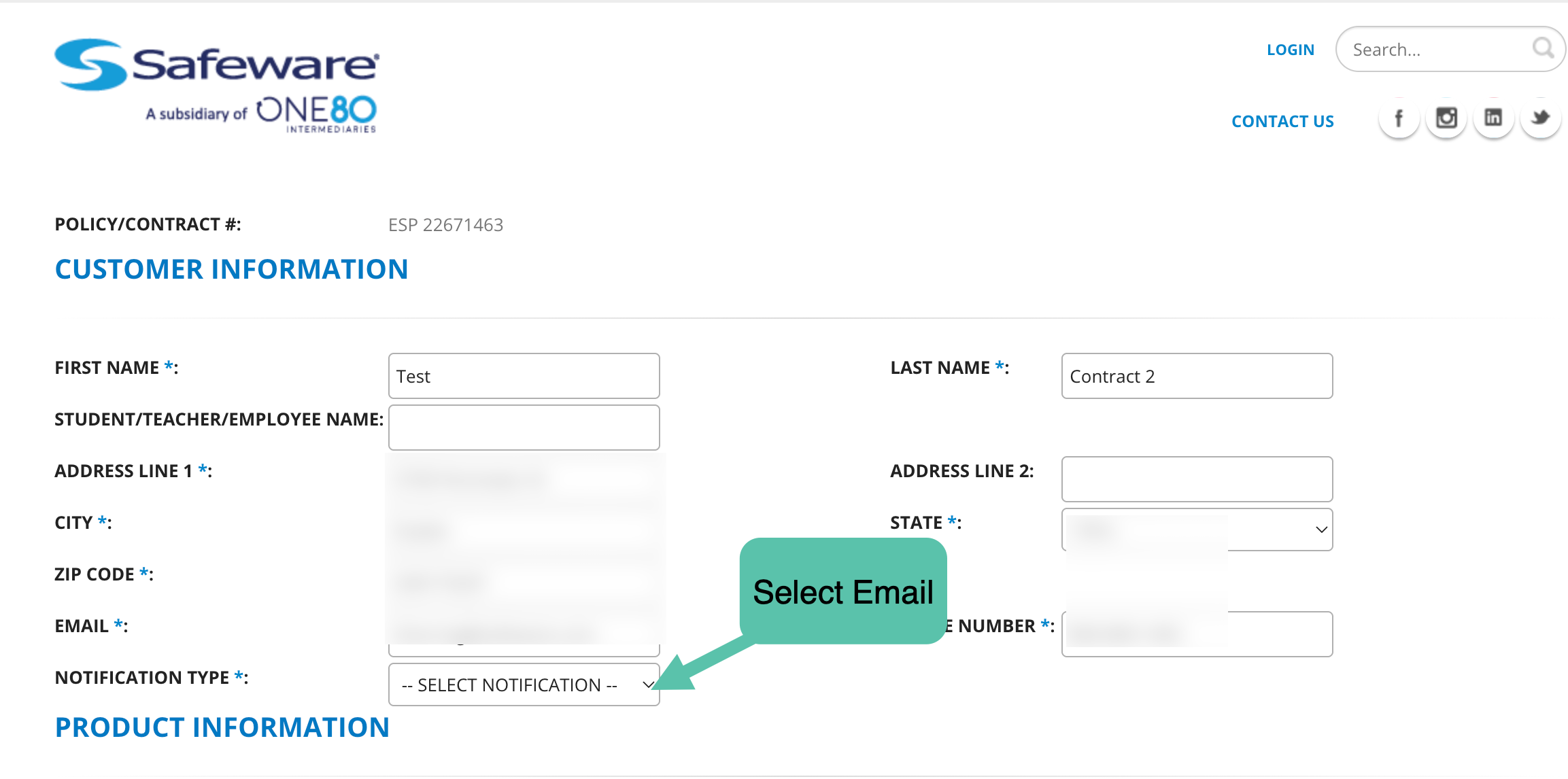
C) In the Product Information Section, review the make and model number for the item.
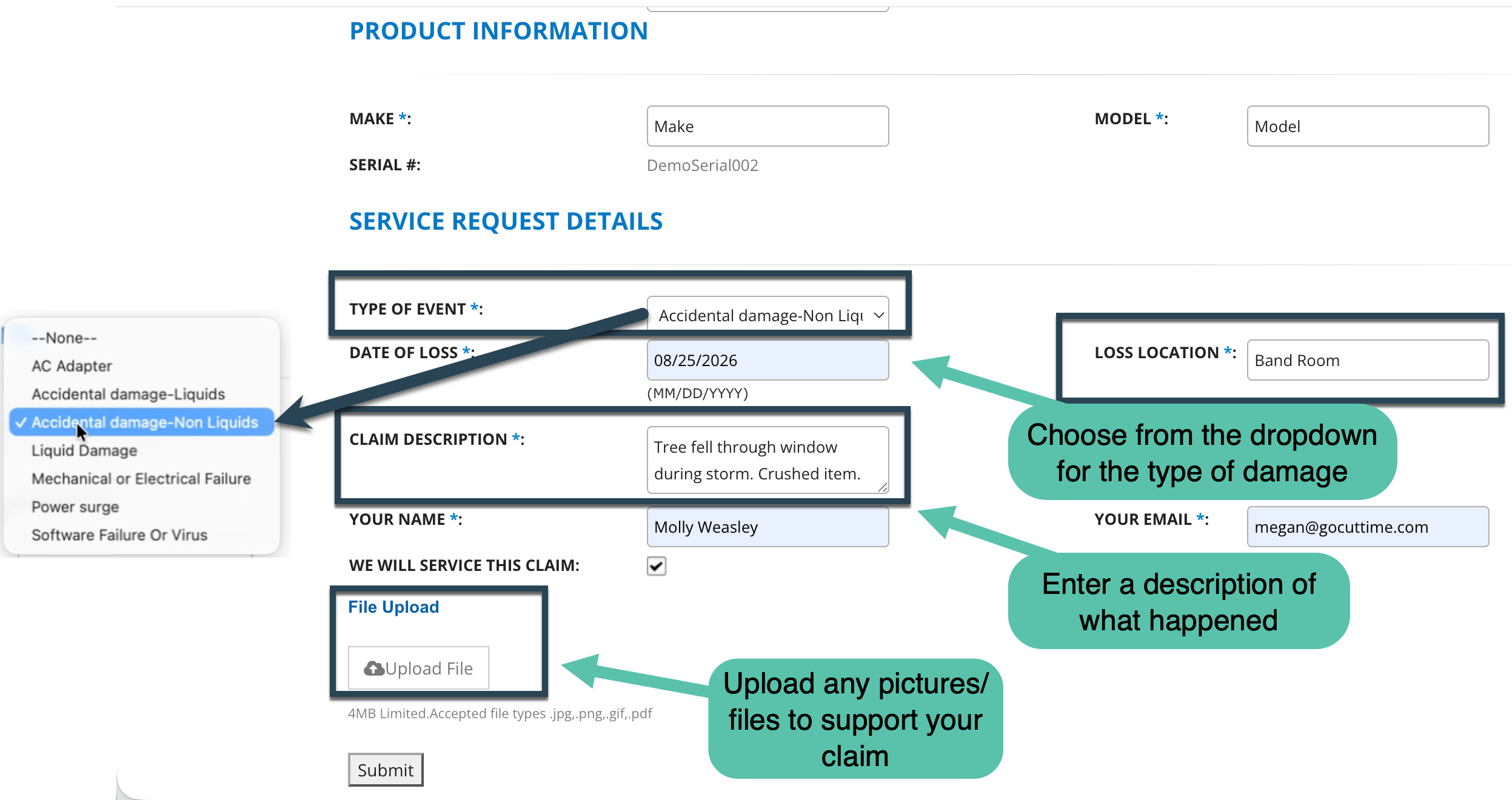
D) In the Service Request Details, use the dropdown menu to select the Type of Event. Enter the date of the Event, and the Location.
E) In the Claim Description box, write what happened to the item.
F) Enter your name and email again and upload any files/photos that you need to include on your claim.
G) Click "Submit."
4) Once you claim is filed, you will be taken to final confirmation page and an email will be sent for your records.
Save the Claim Number included on that email information so you have it for your records.
5) Safeware will review your claim. If they need additional information, they will send a follow up email.
If your claim is denied, Safeware will notify you, as well as the reason for the denial.
If your claim is accepted, Safeware will start the claim reimbursement process for this item. (See steps below)
Next Steps Once the Claim is Approved
An automated email from Safeware will indicate if your claim was approved and include the next steps needed in the process.
Approval: Step 1
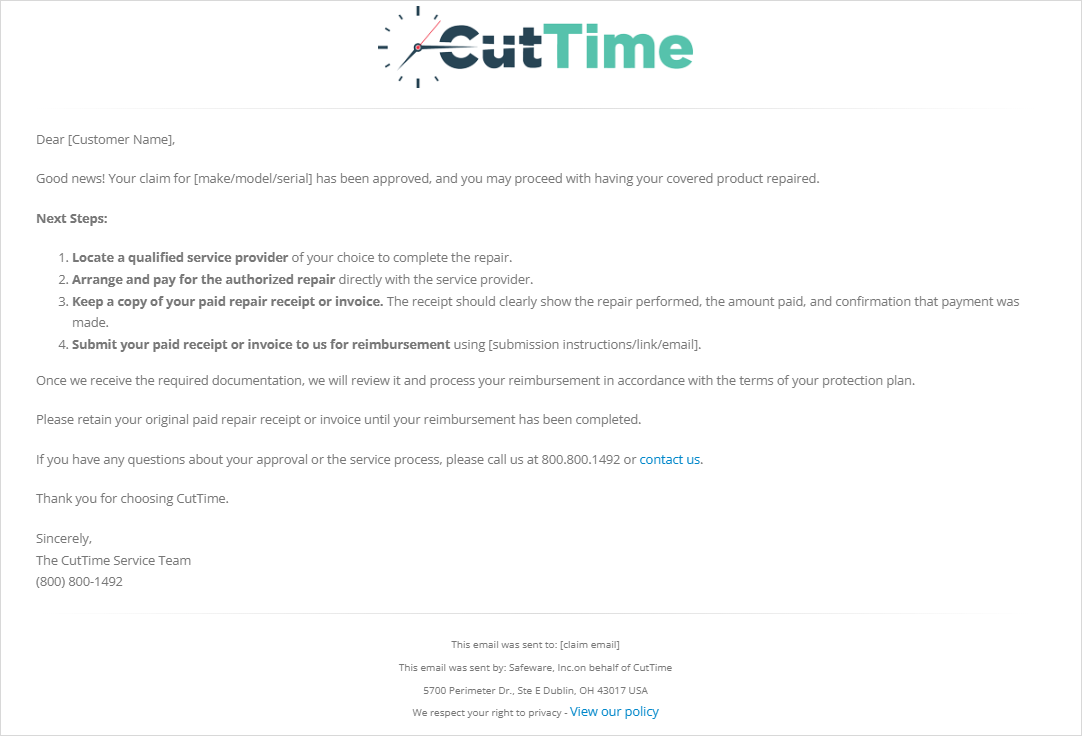
For the Approval Process, the first email will look something like this:
- The person who filed the claim will have to locate a local service provider to fix the instrument.
- Arrange and pay for the authorized repair.
- Keep a copy of the receipt/invoice to give to Safeware for reimbursement.
- And then submit it to Safeware (and a link with instructions on how to do that will be included).
Approval: Step 2
Two different emails will be sent in the second step in the process depending on what is submitted to the Claims Team.
1) If BOTH the Repair Documentation and the Receipt/Invoice were submitted:
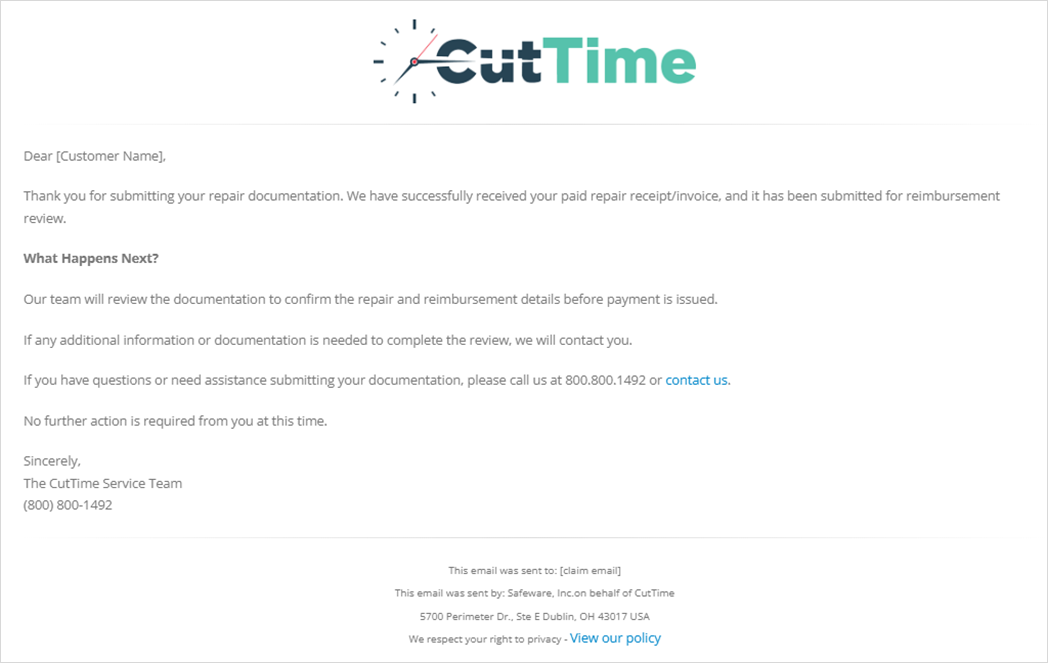
2) If ONLY the Repair Documentation was submitted, but no Receipt/Invoice:
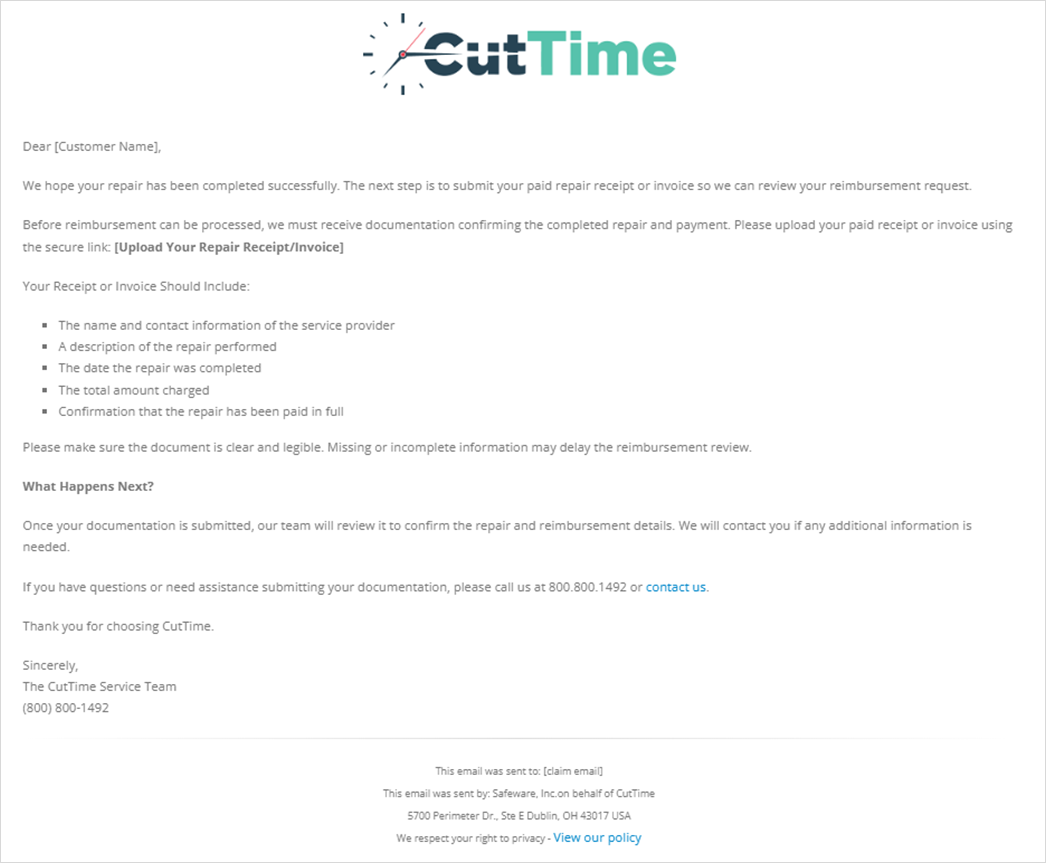
Either way, the person who submitted the claim will be informed that the Claims Team at Safeware will then need to review what was submitted before issuing a reimbursement payment.
Approval: Step 3
If the person who is receiving the reimbursement chose to receive the money through EFT (electronic funds transfer), they will get an email with more info on that process:

FAQ
1) Question: Can I contact Safeware directly about my claim?
Answer: Yes. You can reach out to Safeware by calling the toll-free number at (800) 800-6132 between the hours of 8:00 AM and 6:00 PM eastern time.
You will need to provide your Plan Policy # of the instrument that is covered, and state that you are covered under the CutTime Instrument Protection Plan.
2) Question: What information appears on my Declarations Page?
Answer: Your Declarations Page identifies information such as:
- The plan holder
- The covered instrument and serial number
- The purchase, effective, and expiration dates
- The plan price
- Any applicable service fee
- Optional coverage
- The plan’s Limit of Liability
- The selling entity, administrator, and obligor
3) Question: Which instrument is covered?
Answer: The plan applies only to the specific instrument listed on the Declarations Page. It does not automatically cover other instruments owned by the family, student, school, or program.
4) Question: When must the instrument be enrolled?
Answer: The instrument must be enrolled within 14 days after it comes into the plan holder’s possession.
5) Question: When does coverage begin and end?
Answer: Coverage begins on the Effective Date and ends on the Expiration Date shown on the Declarations Page.
For additional information and FAQ on the CutTime Instrument Protection Plan, please read here.