
Navigating CutTime Connect
Table of Contents
Downloading the CutTime Connect App
This article is meant for guardians who have downloaded the CutTime Connect mobile app. For more information about the app itself, read here:
Downloading the CutTime Connect App
From the App Store
If you are using an iPhone, open the App Store on your phone. Search for "CutTime Connect" with the CutTime logo.

From the Google Play Store
If you are using an Android or other mobile device, open the Google Play Store on your phone.
Search for "CutTime Connect" with the CutTime logo.

Logging Into the App
Once you have the app downloaded, you will see two options: "Admin, Teacher, or Booster" and "Guardian".
If you are a User with access rights, you will see more info about the CutTime Connect App and that it's really meant for Guardians to use to make login a little easier:
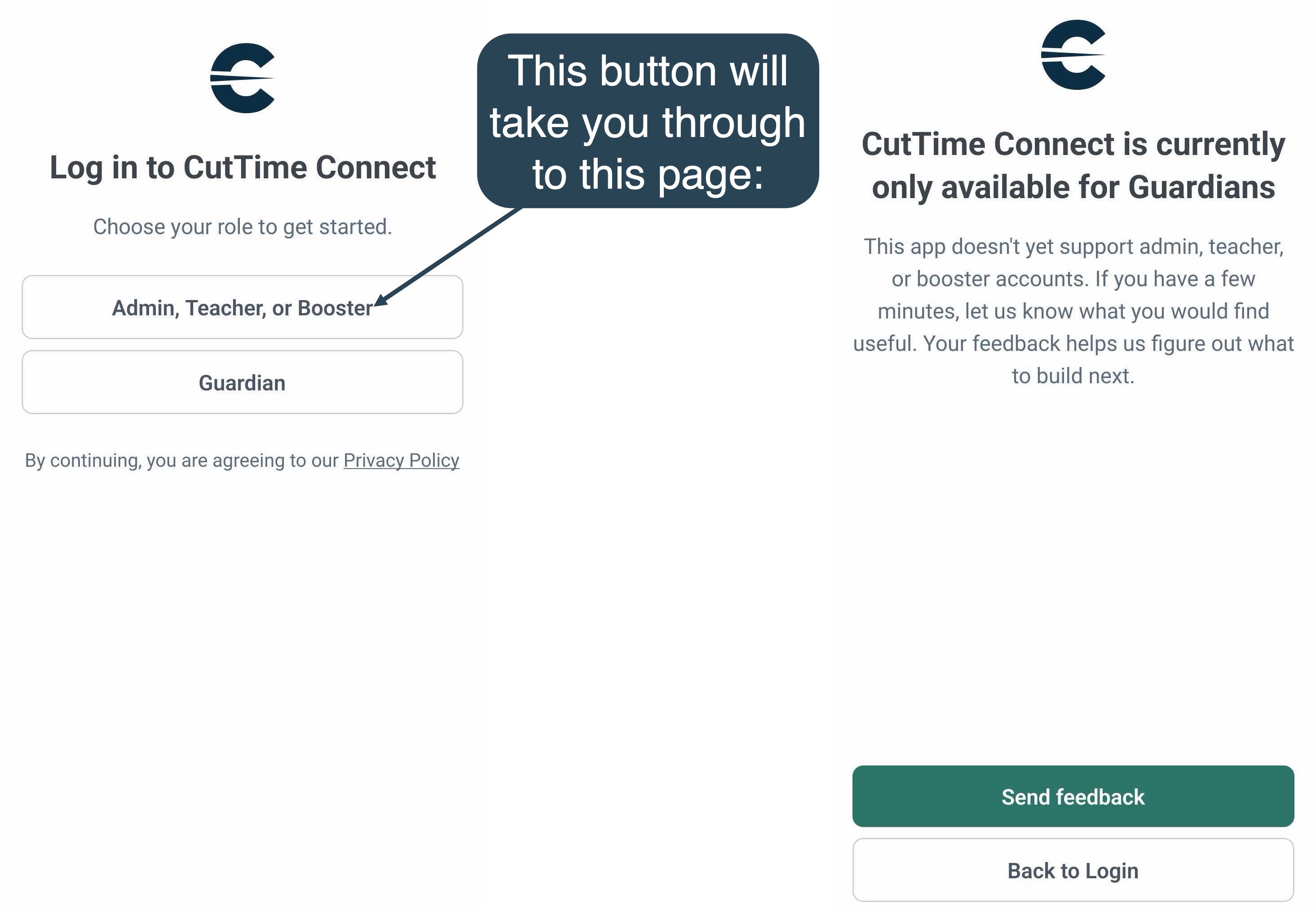
Otherwise, if you are a Guardian, click the Guardian button instead.
Enter Your Email/Phone Number
Enter your phone number to log in. Should you need to use your email instead, click the "Login with Email Instead" option.

Enter the Verification Code
The app will prompt you to look for a verification code, and depending on whether you entered an email or phone number, it will send the code to either your phone as a text or your email.

Once you have been able to log in for the first time on the app, you won't need to enter a verification code again the next time you open the app!
It will only ask you for the verification code if you log out of the app and need to verify login again.
Navigating the Mobile App
Announcements
Once you have successfully verified your login, you will see the app's Home Page. All of your program's Recent Announcements are listed. Click through on a message to see more details, or on the "View All Announcements" to see a full listing of previous communications from this program.

Events
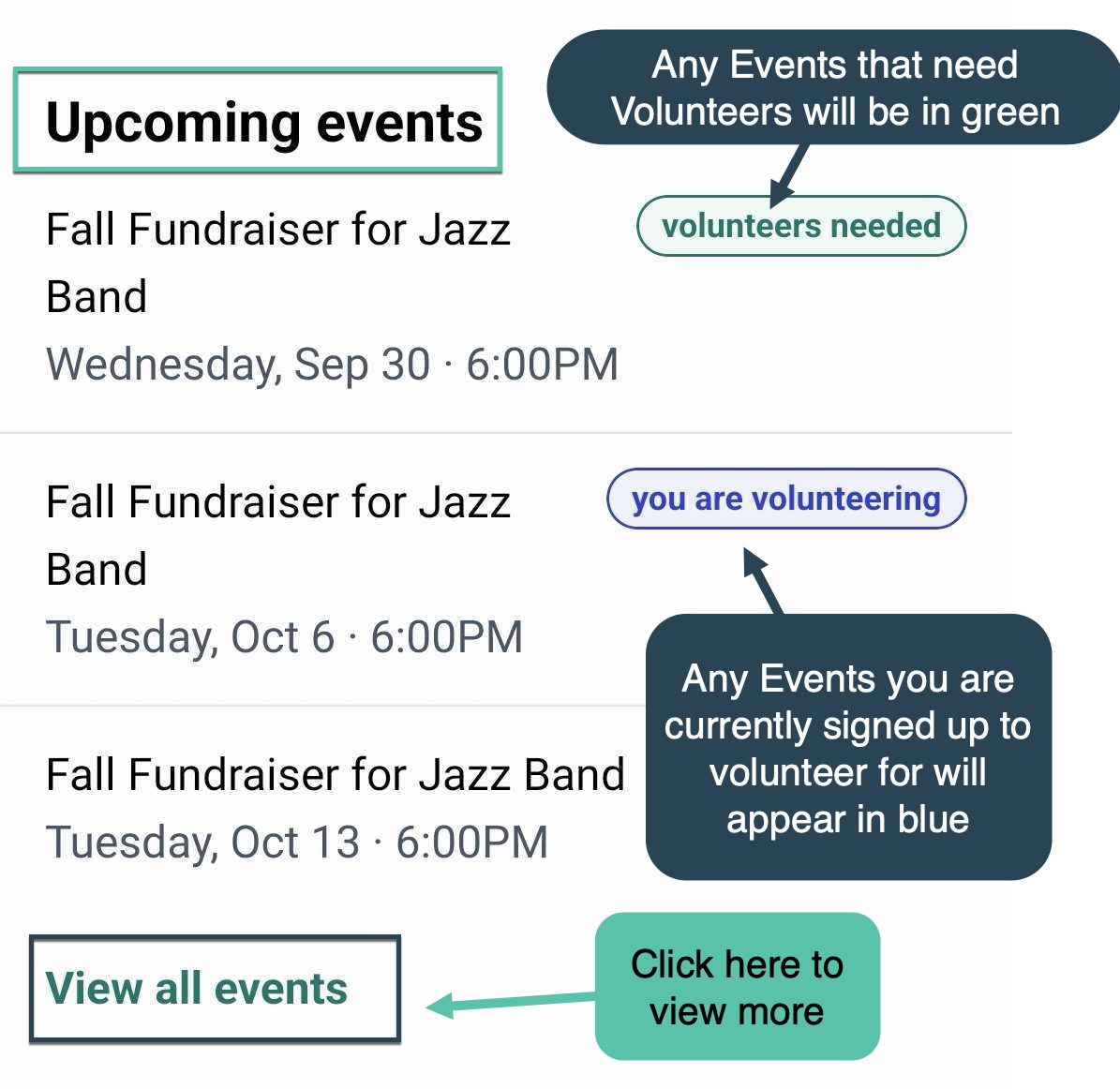
Under the Upcoming Events section, you can find any Events pertaining to Groups that your Member is a part of.
Any Event with volunteer opportunities, including Events that you've signed up to volunteer for, will be indicated in green or blue (see screenshot below).
Click through on an Event to see more details. To see additional Events, click the "View All Events"
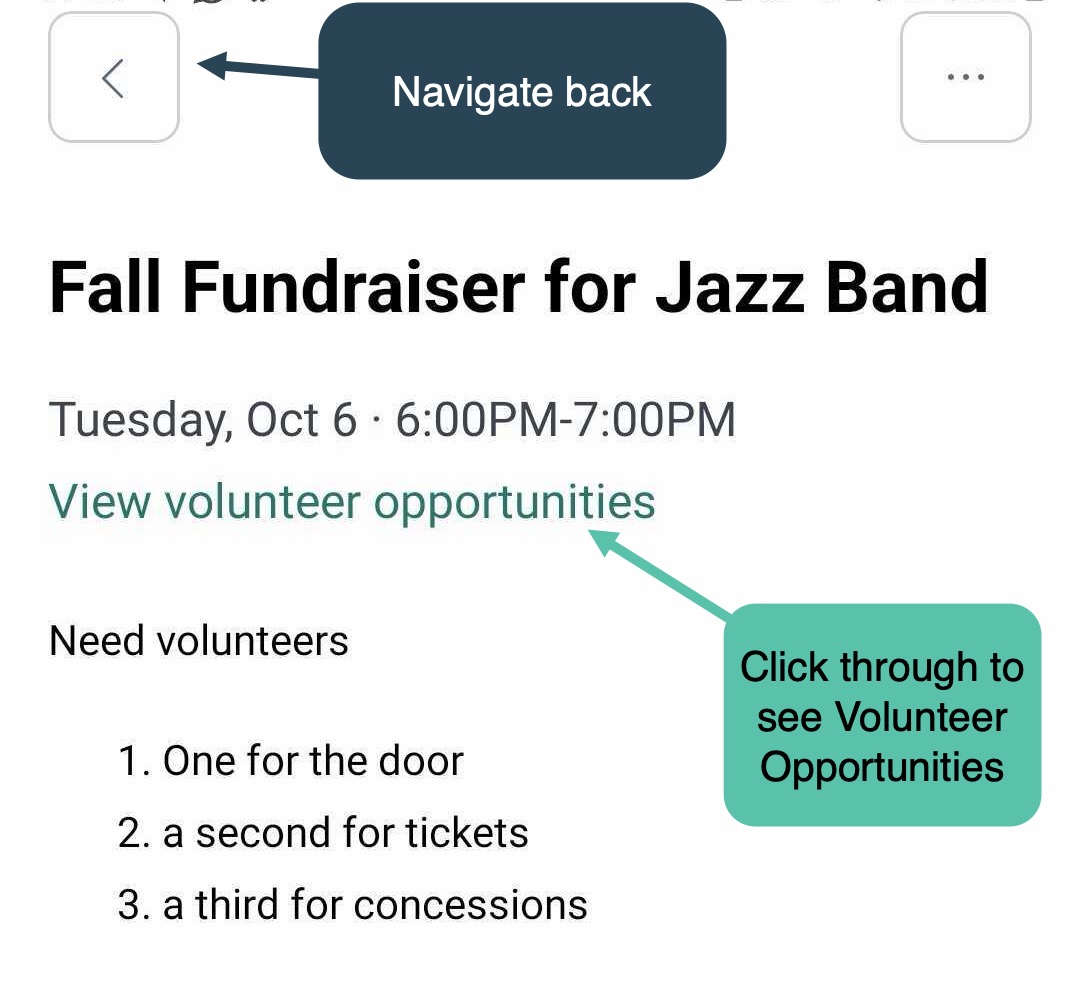
In the Event's details page, you can navigate back a page by clicking the arrow at the top.
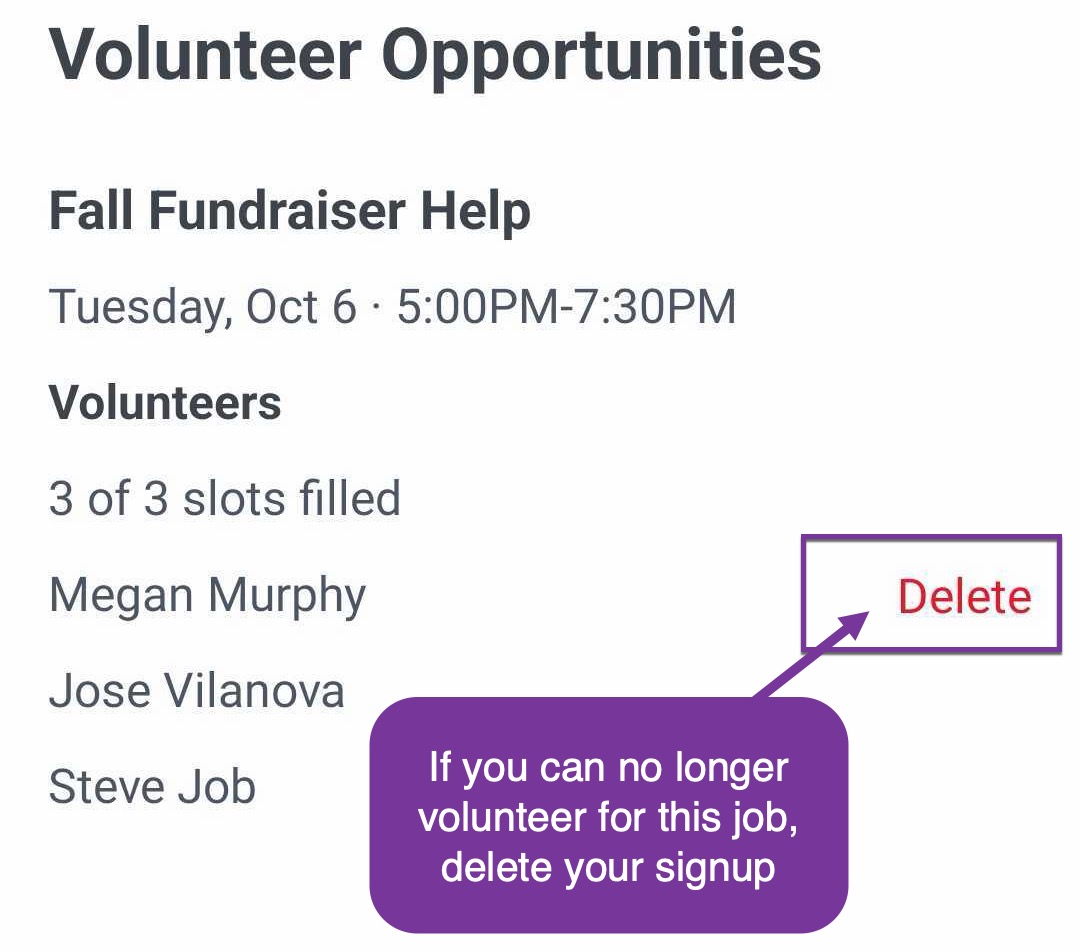
If an Event has Volunteer Opportunities, you will see a link to "View volunteer opportunities".
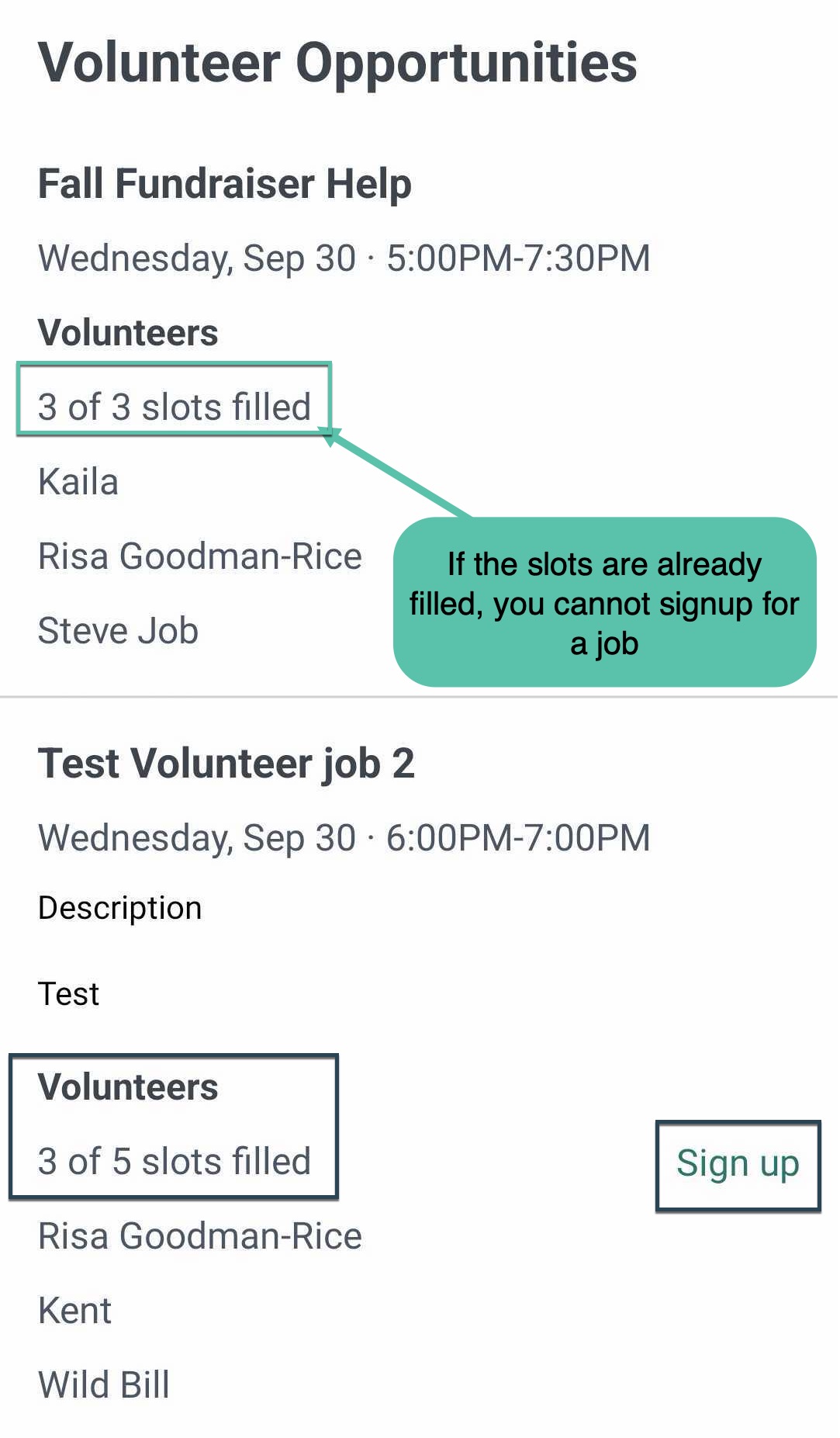
Click through on this option to signup for a Volunteer Job or Delete your signup if needed.
Settings
In the top right corner you will see a cog button. Click through to see your app settings.


On the Settings Page, you can click through to Send Feedback about the app and what you would like to see in future updates, Get Support help, view our Privacy Policy, or Log Out of the CutTime Connect mobile app.